A passport board in the app
Every stop laid out as a card, with what has been collected and what is still missing always visible.
Digital passport and stamps
Attendees collect stamps for visiting sessions and stands, on a passport board you design. It is the oldest trick at a tradeshow, without the printed booklet and the rubber stamp that ran out of ink at eleven.
Collect 9 stamps to enter the draw
Event Passport
Why passports work
Attendees drift towards the stands nearest the entrance and the sessions they had already decided on. A passport is the cheapest known way to change where a crowd goes — and it is exactly what quiet exhibitors are asking you for.
Stands at the back of the hall have a structural problem no amount of signage fixes. A stamp gives attendees a reason to reach them.
A board with two stamps left on it is a stronger call to action than any announcement you could send.
Booklets get lost, stamps run out, and nobody can tell you afterwards who completed one.
A digital stamp is a recorded visit — so “did people reach the back of the hall?” has an answer rather than an anecdote.
For attendees
Every stop laid out as a card, with what has been collected and what is still missing always visible.
Start from a library design — a stamp grid, a bingo card, a travel passport and more — or describe the look you want and let AI draft it. Nothing reaches attendees until you save.
A stamp is collected by scanning — at a stand, at a session door, or wherever the stop lives.
An attendee can scan the stop's own rotating code from their phone, or a printed code on a poster or table card, so a stamp does not require someone standing there with a scanner.
Each card explains how that particular stamp is earned, because a meal, a workshop and an expo stand genuinely differ.
Stops carry their own icon, accent colour and artwork, so a board looks like a designed thing rather than a checklist.
Put the passport in the app as a bottom tab, a side-menu item, a home quick action or the floating button — wherever your attendees will look for it.
Attendees can see how close they are, which is the entire mechanism by which a passport moves people. Stops can also carry points, for boards that keep a score.
Passport designs
A conference wants a travel document. A carnival wants a stamp trail. A launch wants something dark and expensive. The passport takes on the look of the event, while the stamps underneath work the same way.
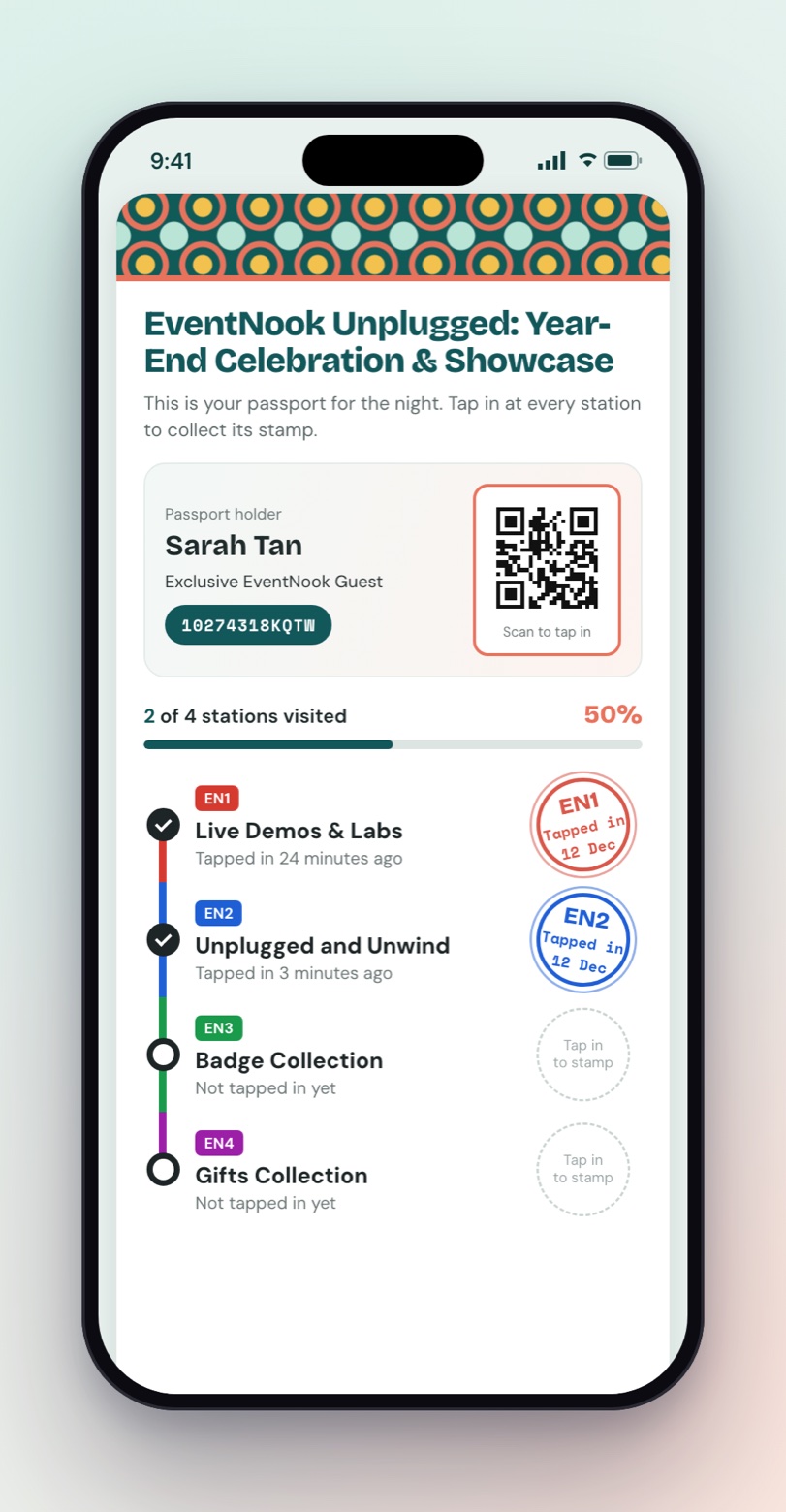
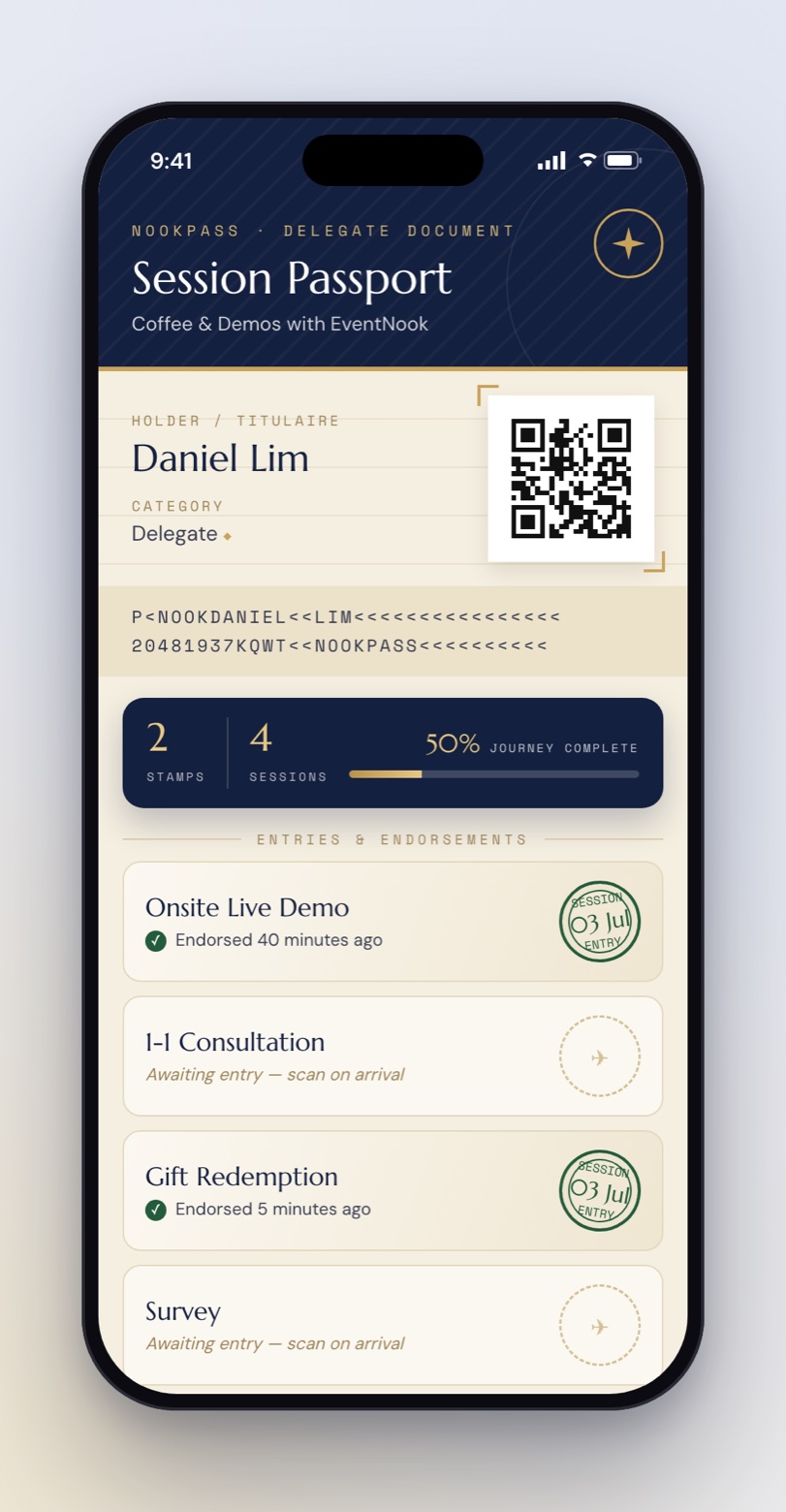
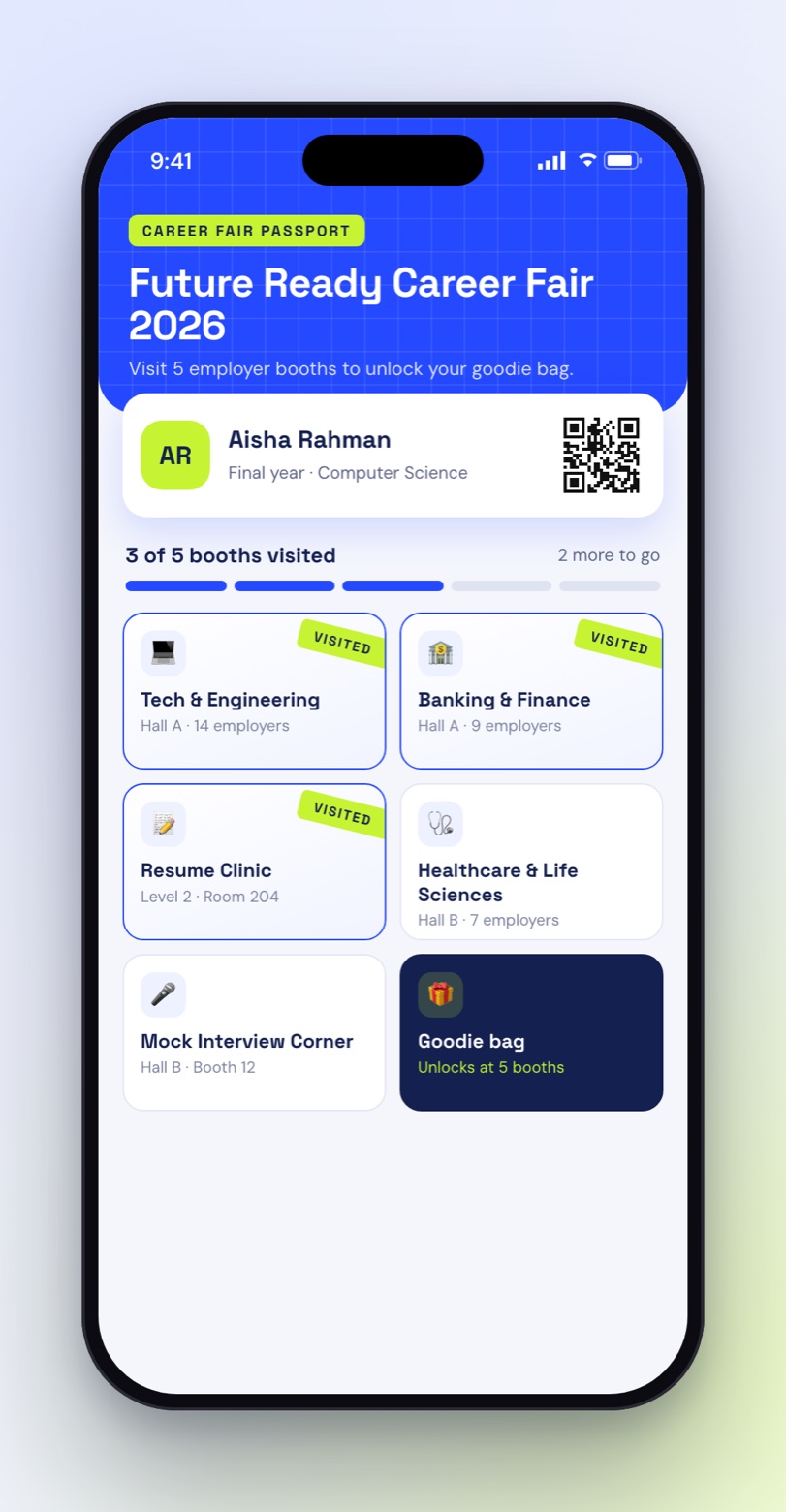
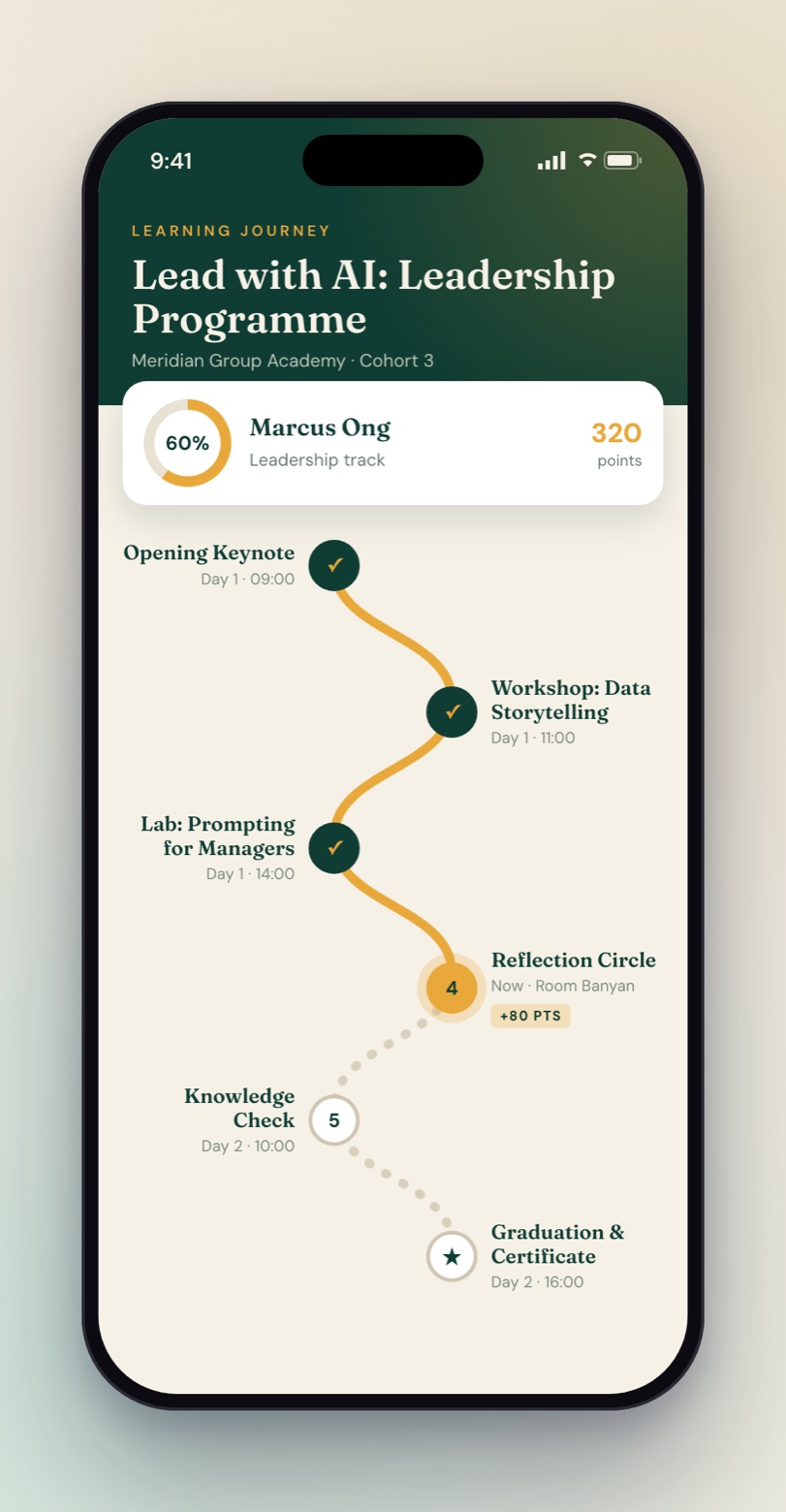
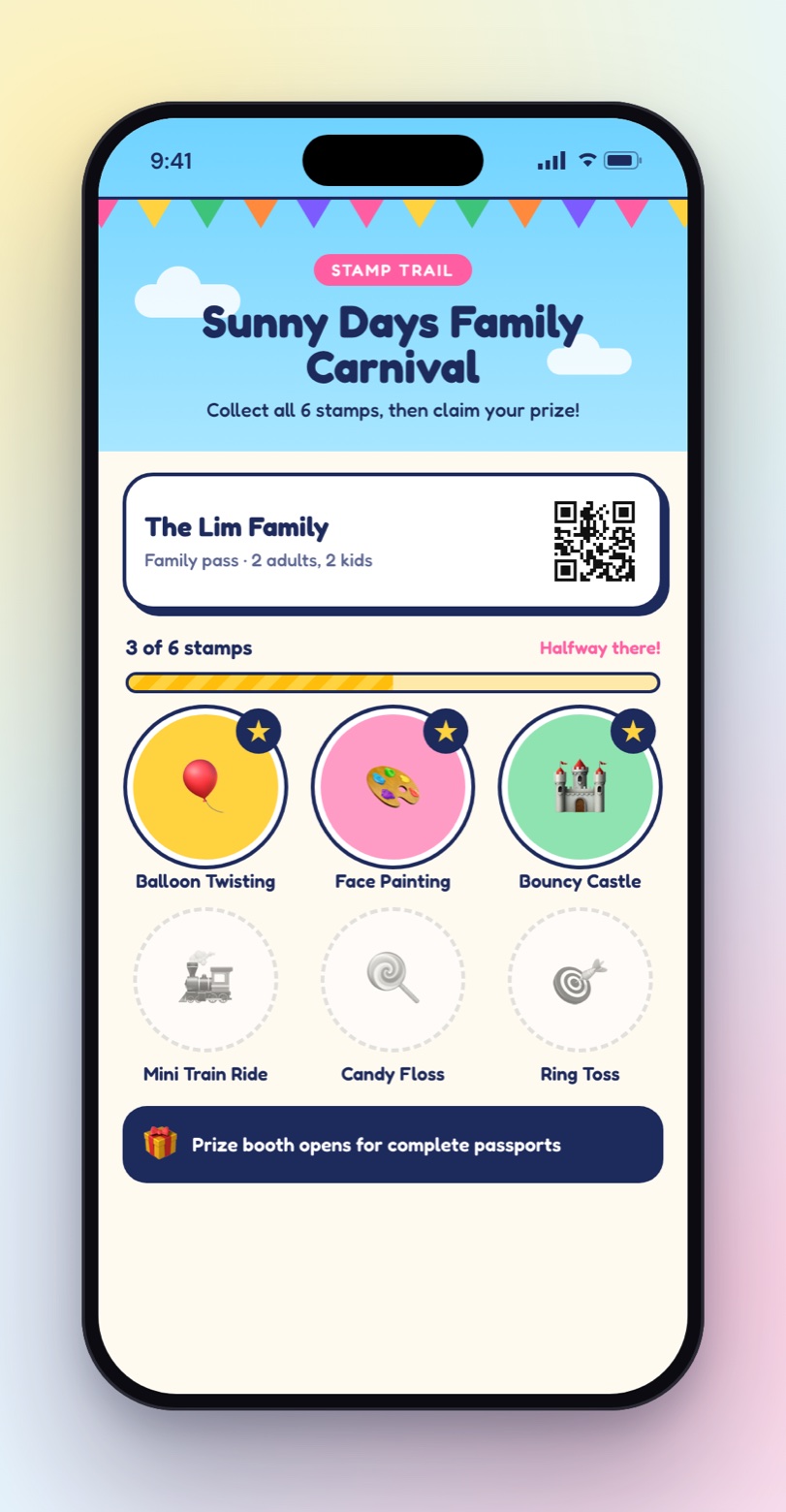
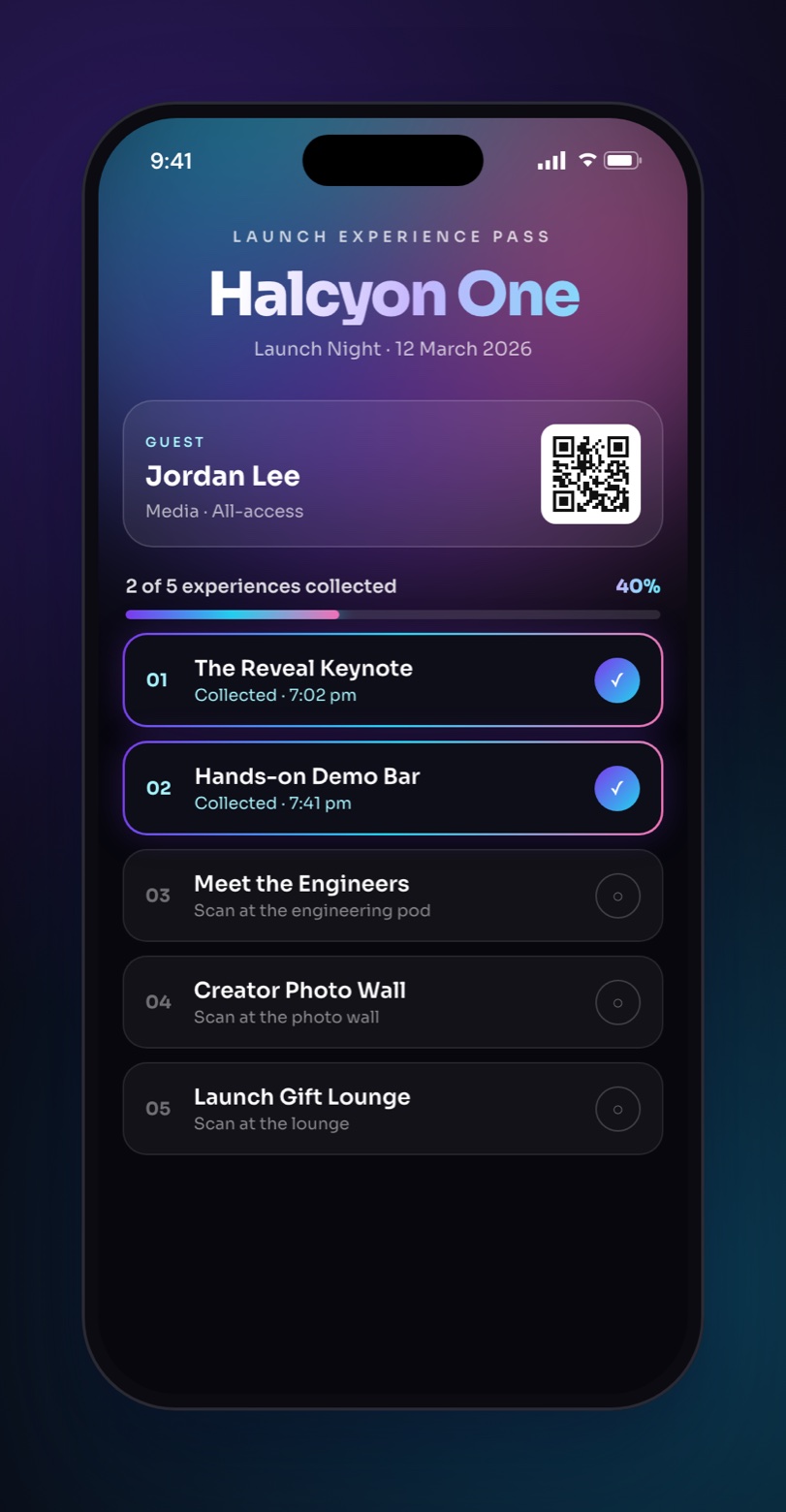
Concept designs show what a custom passport template can look like. Names, IDs and QR codes are samples.
Make it yours
Start with a one-tap look, adjust it to your brand, or take full control of the layout. The passport sits inside an event app that is branded the same way.
Eleven one-tap presets set the colours, cards and stamps together.
Choose the layout, card style and stamp shape, then set your own colours and banner image.
Write the passport as a template with its own stylesheet, start from a library design, or describe the look and let Design with AI write the template for you.
NookPass carries the same identity everywhere attendees look: your brand colour, fonts, header and navigation colours, home screen widgets and your own pages. Generate a theme from a short brief, or pick one from a gallery of ready-made looks.
For the organizing team
A passport is built from the same stops as session check-in, so a session that is tracked can also be a stamp without being set up twice.
FAQ
It is a stamp rally in the event app: attendees collect stamps for visiting particular sessions or exhibitor stands, and see their progress on a board you design.
No. A stop can be staffed with a scanner, or attendees can scan the stop's own rotating code themselves, which needs nobody standing there. A photograph of that code stops working within about a minute. For a spot with no screen, a printed code works too.
Yes. Each stop carries its own explanation, because how you earn a meal stamp, a workshop stamp and an expo stand stamp are genuinely different.
Yes. Eligibility uses the same audience rules as session check-in and the lucky draw, so a stamp can be limited to particular ticket types.
Yes. Every stop takes its own icon, colour and artwork, and the board has its own colours, so it looks like part of your event. You can start from a library design such as a bingo card or a travel passport, describe a design for the AI to draft, or write your own template.
Yes. Every stamp is a recorded visit, so footfall at each stop is reportable rather than anecdotal — each stop has its own report with an exportable list of who came.
For organizers
A designed passport board, stamps that need no staff, and a record of who actually went where.