Every organiser knows the feedback email. It goes out the morning after, lands between a dozen other follow-ups, and comes back with a response rate that makes the "what did attendees think?" slide in the debrief mostly guesswork. The problem is not the questions. It is the timing, and the extra step between the attendee and the form.
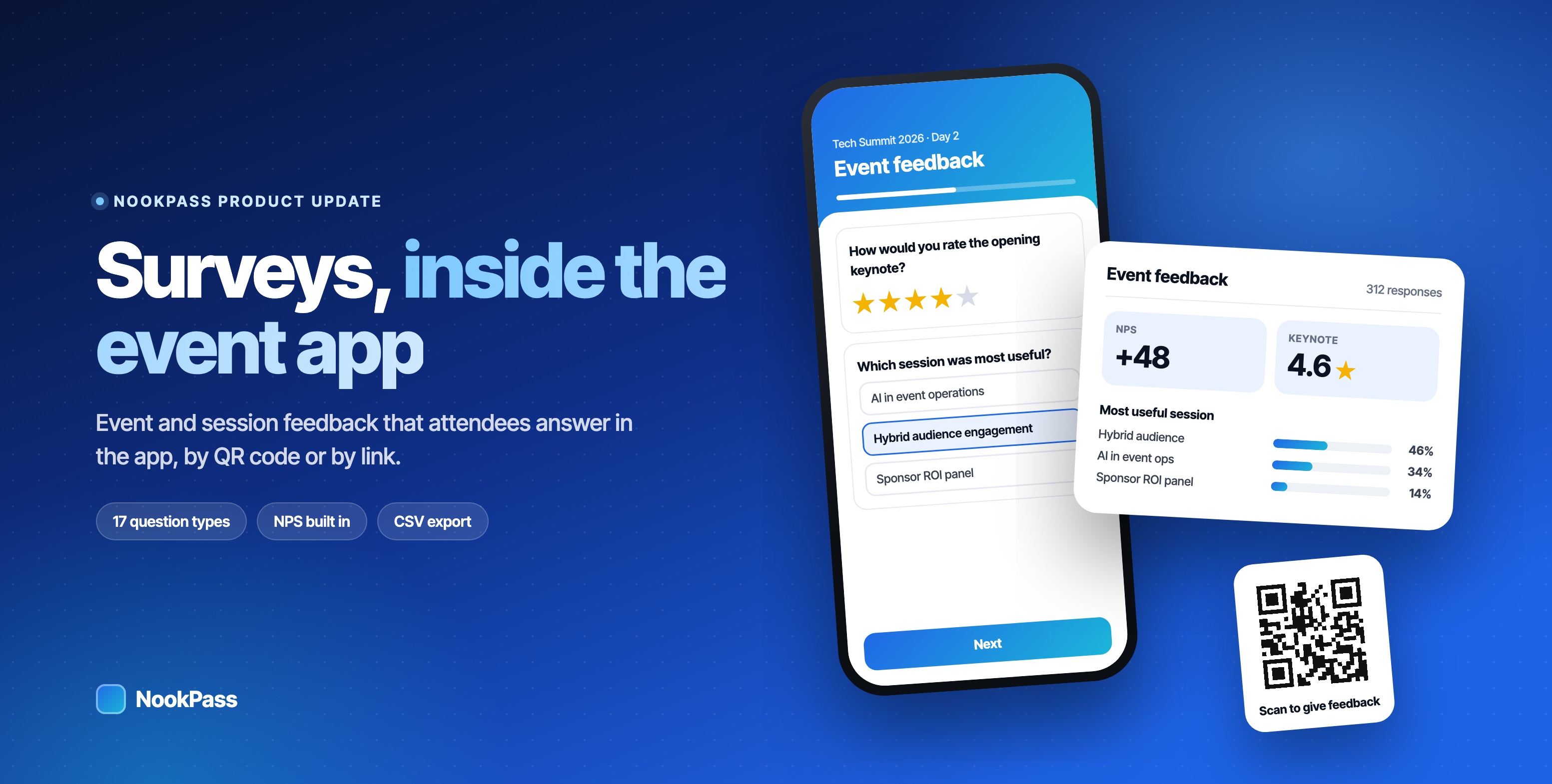
NookPass now has Surveys built in. You build event and session surveys in the same dashboard you already use for the agenda and announcements, and attendees answer them in the app they already have open, or from a QR code on the closing slide. The results arrive as a summary you can read straight away.
Ask while the event is still happening
Feedback is most useful when it is specific, and it is most specific while people are still in the room. A survey about the opening keynote, answered during the coffee break, tells you what landed and what did not. The same question a week later gets a general impression of "the event".
Because surveys live inside NookPass, attendees do not need to open a new website or find an old email. Open surveys appear on a Surveys screen in the app, and the Me screen shows a badge counting the ones still to answer. You can also put a survey anywhere attendees look: as a tab, a side-menu item, a quick action, a floating button or a home screen widget.
One link, one QR code, no app required
Every survey also has its own link and QR code, which open in the browser. That makes the closing slide the easiest feedback form you will ever run: put the code on screen as the speaker wraps up, and the room can answer before it empties.
You choose who can answer, survey by survey:
- Sign-in required takes one named response per attendee. You can let people come back and change their answers.
- Anyone with the link is anonymous, with no sign-in needed. It suits public sessions, exhibitors' visitors or anywhere you want honest, quick answers.
Seventeen question types
Surveys cover the questions events actually ask, from a one-tap rating to a ranking of sessions:
- Ratings and scores: star rating (with stars, hearts or thumbs), linear scale and Net Promoter Score.
- Choices: multiple choice, checkboxes, dropdown and yes/no, with an optional "Other" box and a cap on how many boxes can be ticked.
- Deeper questions: ranking and matrix (Likert) grids.
- Details: short answer, paragraph, email, phone, number, date and time.
- Structure: section headings to group questions.
Any question can be required. Show the whole survey on one page, or one question at a time with a progress bar and Next and Back buttons, which works well on a phone.
Built in minutes, on brand
Start from one of three templates, Event feedback, Session feedback or a blank survey, and edit from there. Each survey takes your accent colour and a cover image, and you write the submit button and thank-you message in your own words. Preview shows the survey exactly as attendees will see it, even while it is still a draft.
When it is ready, publish it. You can close it by hand, at a set date and time, or once it reaches a number of responses, with your own message for anyone who arrives afterwards. Link surveys are protected from spam by a bot trap and rate limits.
Results that are ready for the debrief
Each survey has a Responses tab with two views. The summary shows a chart for every choice question, the average, lowest and highest score for ratings and scales, the Net Promoter Score, percentage tables for matrix questions, the average rank for ranking questions, and the newest written answers. The response list shows each submission, with name and email for sign-in surveys or "Anonymous" for link surveys.
When you need the raw data, export everything to CSV. Times are in the event's time zone, and anonymous surveys leave out name columns entirely.
Ideas for your next event
- Session feedback on the closing slide. One survey per session, each with its own QR code, answered before people leave the room.
- An end-of-day pulse. Three questions in the app at the end of day one, so day two can respond to it.
- The post-event NPS. A Net Promoter Score question plus one open question, listed on the Surveys screen for everyone who attended.
- Exhibitor and visitor feedback. An anonymous link survey for visitors at a stand, separate from the attendee survey.
Common questions
Do attendees need to install anything?
No. Survey links and QR codes open in the browser. Signed-in attendees also find open surveys inside the event app.
Can responses be anonymous?
Yes. Set the survey to Anyone with the link and responses are anonymous. Sign-in surveys collect one named response per attendee.
Can we run more than one survey?
Yes. An event can have many surveys, for example one for the whole event and one for each session you want feedback on.
How do we get the results out?
Read the summary and individual responses in the dashboard, or export everything to CSV.
See everything Surveys can do on the Surveys page, or get in touch to switch it on for your next event.