Get attendees to visit every booth, sit through every workshop, or complete a scavenger hunt around the venue, and you're running a passport program — whether it's a paper card with a "collect all six stamps" line at the bottom, or a digital checklist bolted onto the event app. Both versions solve the same problem the same way: give people a reason to keep moving. Neither version usually looks like it was designed on purpose. The paper one is a photocopied grid. The digital one is a bare progress bar with a list of names under it, and it looks the same whether the event is a five-star gala or a hackathon.
NookPass's passport already solved the tracking half of that problem — every stamp comes from an actual badge scan, so nothing is typed in by hand and nothing can be faked. What changed now is the other half: the passport can look like it belongs to the event that built it, because there are eight designed templates to start from, a full visual editor under each one, and — if none of the eight are quite right — an AI designer that writes a new one from a sentence.
A stamp for every scan, nothing to print
The passport is built on top of NookPass Sessions — whatever you're already scanning badges for (a workshop door, an expo hall, a scavenger-hunt checkpoint, a meal counter) can double as a passport stop. There's no separate stamp card to hand out or a spreadsheet tallying who went where: the moment a badge is scanned into a tracked session, that stop lights up on the attendee's own passport, in real time, on their own phone.
That also means the "how do people earn a stamp" question is already answered by however check-in already works at your event — a staffed scanner, a self-service kiosk, or a code an attendee scans themselves off a screen by the door. The passport doesn't add a fourth way to do it; it just gives all of them somewhere to add up.
Eight looks, not one
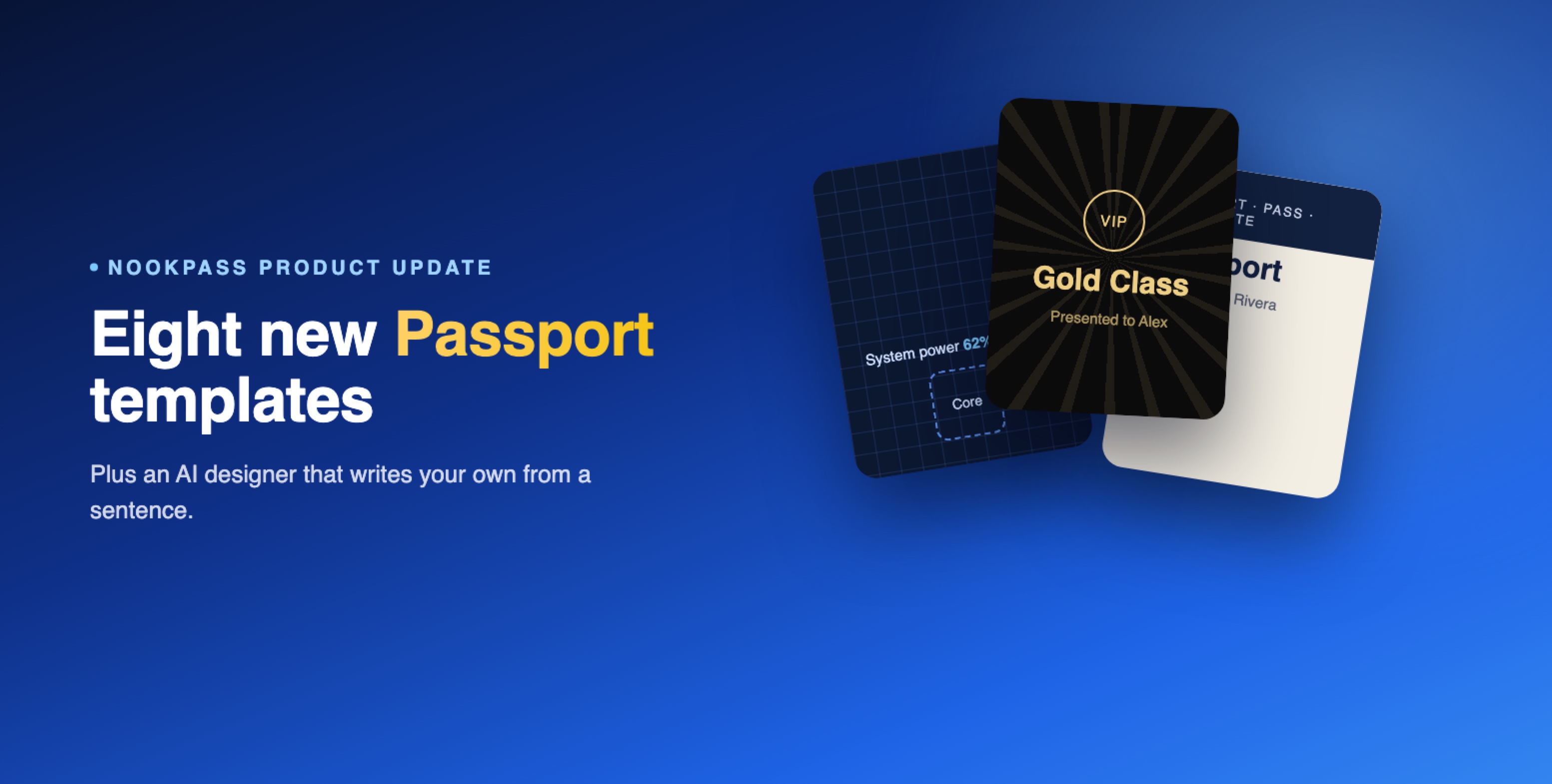
"Start from a look" is a library of eight complete templates — wording, layout, colours and stamp style all included — that a "look" swaps in one click. Nothing about your data changes when you switch between them; it's purely how the same progress gets presented.
Passport
Alex Rivera
Gold Class
Presented to Alex
Passport
Hi Alex!
Passport
LV 4 · ◆ 120
Passport
System power 62%
Passport · Pass · Pasaporte
Passport
Holder: Alex Rivera
Picking one copies it into the editor below — nothing changes for attendees until you press save, so trying on a look costs nothing.
Two of them, up close
The eight templates aren't variations on one layout with different colours swapped in — they read as genuinely different objects. Here's the same three-of-four progress shown on the most understated one and the most extravagant one.
Gold Class
VIP
Passport
Presented to
Alex Rivera
3 of 4 privileges collected
Premium VIP
Passport · Pass · Pasaporte
Passport
Holder: Alex Rivera
Travel Passport
Describe it to AI, or hand it the code yourself
Eight templates cover most events, but not every brand fits into one of them, and this is really where AI changes what an organiser can actually execute without a designer on the team. "Design with AI" is a second way to arrive at a template: describe the passport in a sentence, and it writes the actual layout and stylesheet for you — "a dark board with gold square stamps and a progress ring," or "put the event name at the top and make the collected ones obvious at a glance." It replaces both the layout and the styling in one pass, and nothing is saved until you choose to keep it, so a description that doesn't land costs nothing to undo.
Describe the design you want
"A dark board with gold square stamps and a progress ring. Put the event name at the top."
✨ Design itNorthwind Summit
A prompt is the fast path, not the only one. Under the same screen sits a plain Liquid template and a stylesheet — the exact code either a built-in look or an AI description produces — open to type into directly. An in-house designer, an agency with a brand kit already built, or anyone who simply already knows what they want can skip the conversation with AI entirely and paste finished markup and CSS straight in.
Template (Liquid)
<div class="pp">
  <h1>{{ passport.title }}</h1>
  <p>{{ board.completed }} of {{ board.total }}</p>
</div>
Save
Both roads lead to the same place: an AI description and a hand-written template edit the identical Liquid file and CSS, so whichever way a look gets built, every option in the visual editor still works on top of it afterwards.
Setting it up
Everything sits under two tabs. Content is the wording — a title, an intro line, a "how it works" instruction, what "done" and "not yet" get called, and a message that shows once someone finishes. Design is the look: pick a layout (a two-up grid, a detailed list with timestamps, a stamp-book grid, or full-width image cards), a card style and stamp shape, then switch on whichever extras the event actually needs.
A custom CSS box under Design is scoped to just the passport screen and sanitised on save — no scripts, no imports — for the odd pixel of spacing the visual controls don't cover. Most events never need to open it.
What it means on show day
An attendee never sees a settings screen — they see their own passport, filling in as the event happens. They badge into the welcome breakfast and a stamp appears before they've sat down. They walk the expo floor and the entry count on that stamp ticks up with every stand they scan into. Miss a workshop and it just sits there marked "not yet," exactly as informative as a stamp that's already been collected.
None of that needs a staffed desk watching a spreadsheet. It needs the check-in that was already happening — badge scans at the door, a self-service kiosk, or a screen-refreshed QR code attendees scan themselves — to also be a passport stop, which is a checkbox in Sessions setup, not a separate system to run.
Common questions
Does switching templates lose any progress?
No. Templates only change how the passport is presented — every stamp an attendee has already earned is stored against the session, not the template, and shows up correctly under any of the eight looks or an AI-designed one.
Can we mix our own layout with one of the built-in looks?
Yes. Picking a look from the library copies its Liquid template and stylesheet into the editor, and both stay fully editable from there — treat it as a starting point, not a locked-in choice.
What happens if a custom template fails to render?
Attendees fall back to the built-in passport automatically — a broken custom template never shows an error screen. Check the "Preview — sample data" panel in the editor before saving to see what attendees will actually get.
Does the passport work without Sessions turned on?
No — the passport is built on Sessions tracking, so at least one tracked session needs to exist and session tracking needs to be switched on before the passport has anything to show.
Eight templates and an AI designer both exist for the same reason: a passport program only works if people actually want to open it, and nobody wants to open something that looks like an afterthought. Turn on Sessions tracking for whatever attendees are already checking into, then start from a look — or describe your own.